
Software · No-code palletizing
Coming soonTelKin
No-code programmingfor palletising and depalletising.
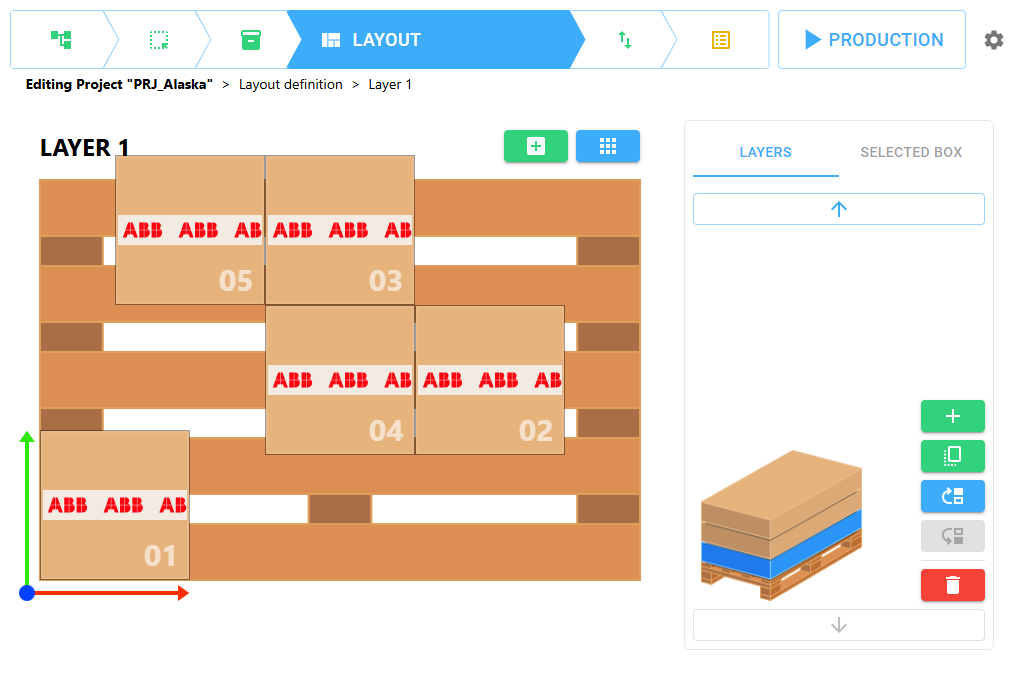
TelKin is a cutting-edge software tool for no-code programming of robotic material-handling systems, with a specific focus on palletising and depalletising.
Robot compatibility
Available now on ABB OmniCore.Coming soon to UR and FANUC.
TelKin debuts on ABB robots with the OmniCore controller. In parallel we are developing dedicated versions for Universal Robots and FANUC, each optimised for its own controller: same interface, same six steps, same KinEye checking.
- Available at launch

ABB · OmniCore controller
The first version of TelKin is built for ABB robots with the OmniCore controller: set up in TelKin, run from the Wizard blocks on the FlexPendant.
Version 1.0
- In development

Universal Robots · e-Series cobots
A version dedicated to Universal Robots cobots, bringing no-code palletising to collaborative cells too.
Dedicated version in development
- In development

FANUC · Industrial robots
A version dedicated to FANUC robots, with the same six-step guided setup and KinEye trajectory checking.
Dedicated version in development
Using another robot? Tell us about your plant: we'll tell you how to bring TelKin to your cell too.
Six-step guided setup
Forget traditional programming.TelKin guides you.
Thanks to a simple, intuitive interface, the software guides the operator step by step through setting up their production needs, removing the complexity of traditional programming. The software automatically calculates the pallet reference frame and every placing position: the operator only teaches a few points and describes the box and the pattern.
Step 01 of 06
A project archive
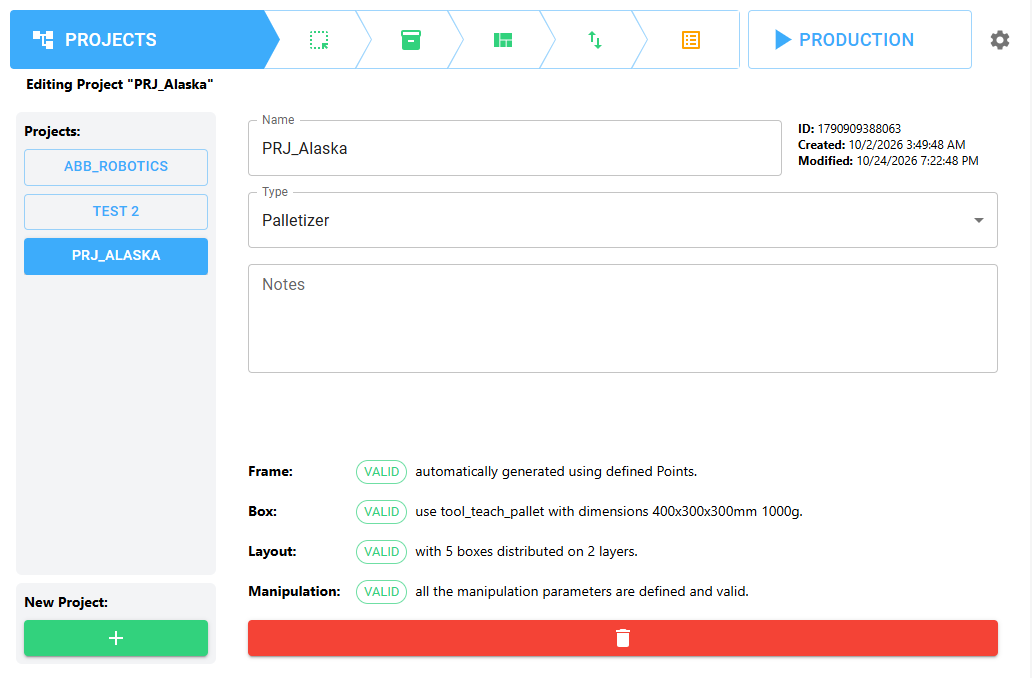
Each combination of product, pallet and load pattern is a project. Create, select or edit projects and switch from one product to another in an instant.
- Palletizer or Depalletizer type
- Validation status of Frame, Box, Layout and Manipulation
- Free notes: customer, line, revision
From setup to production
Started from the FlexPendant.Monitored in real time.
TelKin blocks in the Wizard
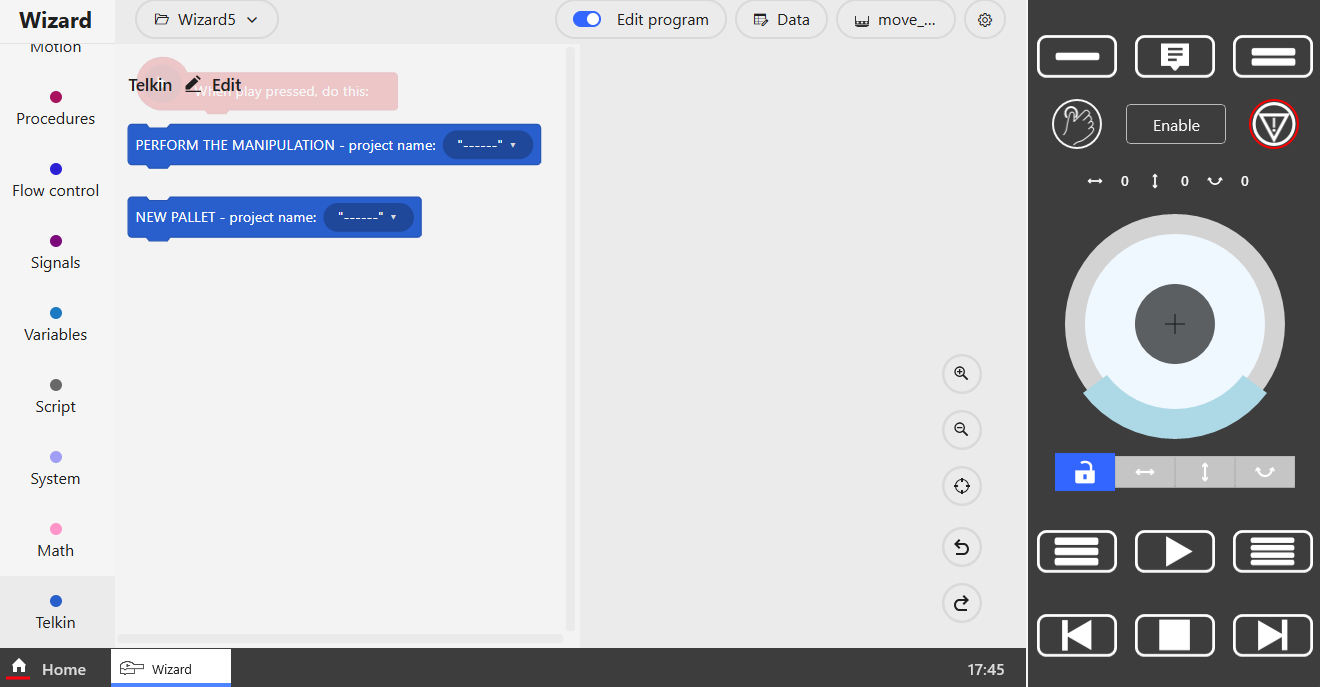
TelKin blocks in the Wizard
The project is started from the FlexPendant with the PERFORM THE MANIPULATION and NEW PALLET blocks in ABB's Wizard environment: not a single line of RAPID code.
Real-time production
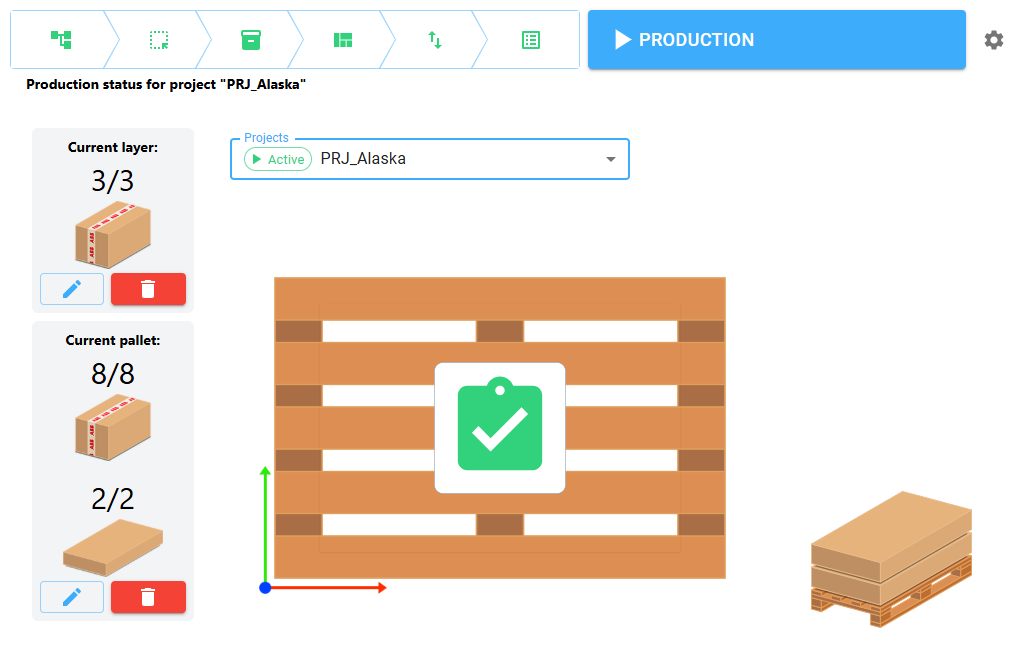
Real-time production
The PRODUCTION screen shows the progress of layers and pallets. Counters can be corrected by hand if a box is added or removed, so you resume from the right point.
Features
Everything you need for material handling
No-code, even on the pendant
Graphical setup in TelKin, start-up with Wizard blocks: no robot language to write.
More projects, more robots
A project archive to change product in an instant; one robot can work with several projects at once.
KinEye built in
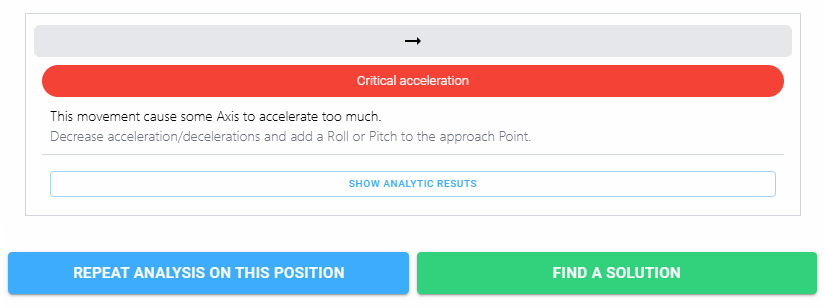
Every trajectory is checked for singularities, excessive accelerations and unreachable positions.
Advanced functions
Existing WorkObjects, pallet offset, interlayers, explosion area, reference joints and RAPID procedures.
Operation log
Every phase is logged with position, payload and timing: the last ten days are always available.
Versions for every robot
Dedicated versions, optimised for the make and model of the industrial robot. 2-year warranty.
Designed for maximum flexibility, TelKin will be available in several dedicated versions, optimised for the make and model of the industrial robot it is installed on. The first version is dedicated to ABB robots with the OmniCore controller.
Quick procedure
From new project to production in nine steps
- 1Projects
Create the project, give it a name and type
- 2Pallet
Select the Teaching Tool and teach P1, P2, P3
- 3Box
Select the Production Tool, set dimensions and weight
- 4Layout
Arrange the boxes on each layer
- 5Manipulation
Teach P-1, P0, P+1 and set up the gripping actions
- 6Trajectory
Check the positions and run the KinEye algorithm
- 7Projects
Check that Frame, Box and Layout are VALID
- 8Wizard
Insert the TelKin blocks, choose the project and press Play
- 9Production
Monitor pallet progress


Want TelKin on your robot?
Versions are optimised for the robot's make and model: tell us about your plant.