
URCap · Universal Robots e-Series
AvailableMotionRecorder
The easiest way torecord and replay complex paths.
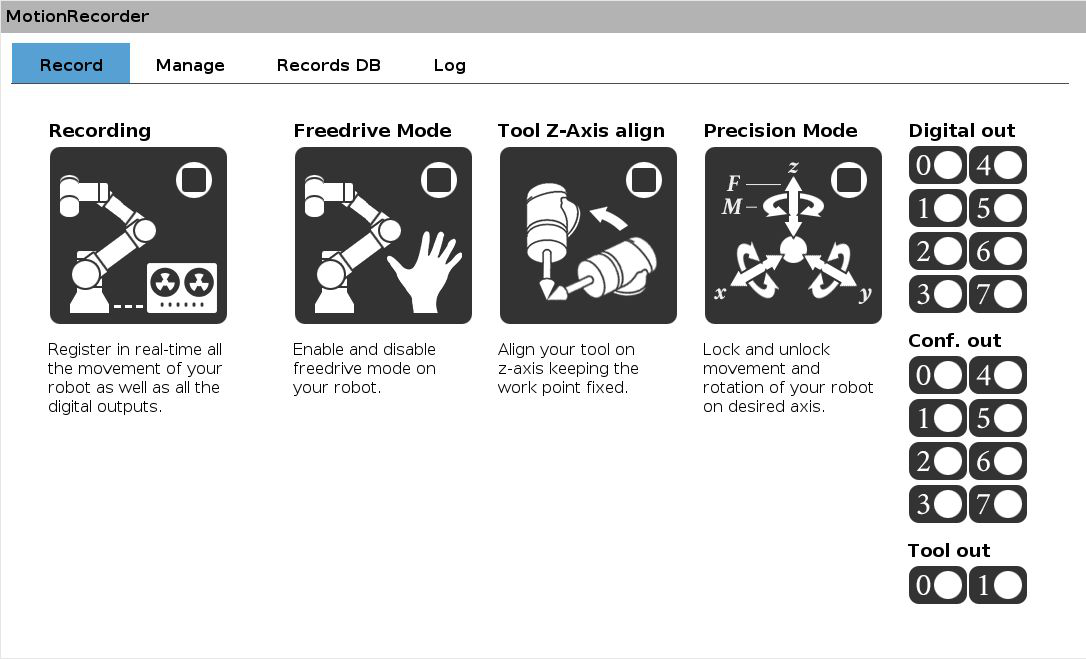
MotionRecorder records every movement made by hand on a Universal Robots cobot, together with digital outputs switching on and off, and generates the program to use in the automatic cycle. An internal database organises the recordings by product.
The interface
You guide the robot by hand.It remembers.
The cobot repeats exactly the movements made in manual mode, reducing inverse-kinematics issues: even someone who isn't a robot programmer can create their first working program in no time.
Menu 01 of 04
Record motion and outputs
From the installation node (Installation → URCaps → MotionRecorder) you start real-time recording of the path and I/O. When you finish, you give it a name and the path goes into the database.
- Recording, Freedrive, Tool Z-Axis align and Precision Mode
- Digital outputs controllable without changing screen
- Discard a recording with one tap if you don't like it
Recording tools
Four ways to move the robot while you record
Recording
Records the robot's path and the state of the digital outputs in real time.
Freedrive Mode
The cobot moves by hand in the direction of the applied force, with no risk of inverse-kinematics errors.
Tool Z-Axis align
Aligns the tool's Z axis perpendicular to the base plane: an exact orientation impossible to achieve by hand.
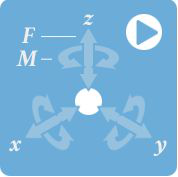
Precision Mode
The flange force sensor drives a coordinated motion in the direction of the push, to follow a shape precisely.
Digital outputs recorded together with the motion
- 8 standard digital outputs
- 8 configurable digital outputs
- 2 tool digital outputs
Precision Mode
Follow a shape,axis by axis.
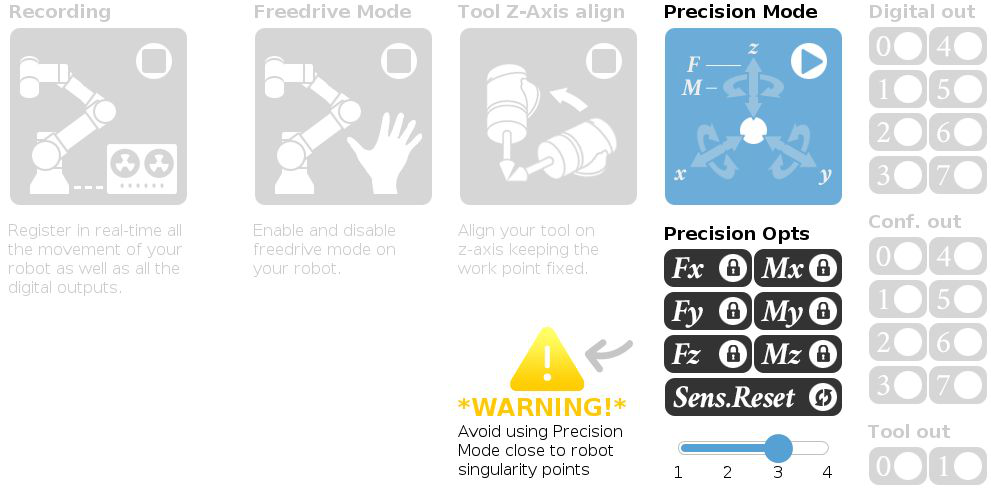
In Precision Mode the cobot doesn't simply release the stressed axis: it reads external forces with the flange sensor and performs a coordinated motion in the same direction. Six buttons separately lock the three translations and the three rotations, for linear control of the path.
Example: locking Fz, Mx and My gives a clean translation on the plane, keeping the tool orthogonal and leaving only rotation about Z free.
- Independent locking of Fx, Fy, Fz, Mx, My, Mz
- Adjustable sensitivity to external forces
- Force/torque sensor zeroing (Zero FT sensor)
Playback in the program
One recorded path,many ways to replay it.
No-Waiting
Replays the path ignoring the pauses made during recording, for example to change grip.
Inverse
Replays the path in the recorded order or in reverse, from end to start.
Speed
From 0.1× to 2× the recorded speed.
Cruise Control
Constant speed along the whole path, with no pauses.
Start / end
Moves the robot at reduced speed to the first or last point, to teach waypoints before and after the path.
Applications
Where the pathmatters more than the point.
Gluing
Paths on complex shapes without expensive CAD software: just follow the part's profile.
CNC loading/unloading
Trajectories in tight spaces, such as inside a machine tool.
Painting, brushing, sanding
Where quality depends on the operator's experience, the most efficient way to teach it to the robot.
Vision and 3D scanning
Tool orientations that are hard to program, so no areas are left in shadow.
Many product types
The internal database makes it easy to add new models or modify existing ones.
Script functions
Full power, in URScript too.
Outside the PolyScope interface, MotionRecorder's functions are available in a Script block: ics_go_start_pose, ics_go_finish_pose and ics_MR_move, with the same parameters as playback.
# Script block in PolyScope
ics_go_start_pose("record_1569945688.3")     # to the first point of the path
ics_MR_move(
  True,                    # no_w8: ignore pauses
  False,                   # inverse: recorded order
  False,                   # constant_speed
  1.5,                     # speed: from 0.1 to 2
  "record_1569945688.3"    # record name
)
ics_go_finish_pose("record_1569945688.3")    # to the last point
Download
Software and manuals,ready to download.
Download the URCap to install on your cobot and the user manual. To unlock every feature you need the hardware key: contact us for the licence.
- URCAP
MotionRecorder URCap
The plugin to install on the e-Series cobot from a USB stick. Without the hardware key it runs as a limited version.
v2.5.10 · 6.5 MB
Download - PDF
User manual (Italian)
Installation, interface, script functions and troubleshooting.
v2.3.6 · Italian · 1.7 MB
Download - PDF
Operating manual
Installation, interface, script functions and troubleshooting.
v2.3.6 · English · 2.3 MB
Download
Installation
Ready in five steps
- 1
Download
Download the MotionRecorder-x.x.x.urcap file and copy it to a USB stick
- 2
USB
Plug the stick into the teach pendant or the control box of the e-Series cobot
- 3
Settings
Open Settings → System → URCap and press +
- 4
Install
Select the .urcap file from usbdisk, press Open and restart the robot
- 5
Dongle
Plug the hardware key into a USB port to unlock every feature
Licence
- Hardware-key licence, distributed through official Universal Robots channels
- Unlimited use on a single robot
- Free updates
- Portable across installations and robots
- 2-year warranty
Without the hardware key the software installs as a limited version; plugging the dongle into a USB port on the cobot unlocks every feature.

Want to try MotionRecorder on your robot?
Write to us: we'll explain how to get the licence and how to fit it into your cycle.